- Occasionally I figure out a solution to a problem that isn't already on the internet, I put the solutions here so other people can use them.
-
Tool to convert OysterX data to GPX format
2026-04-25
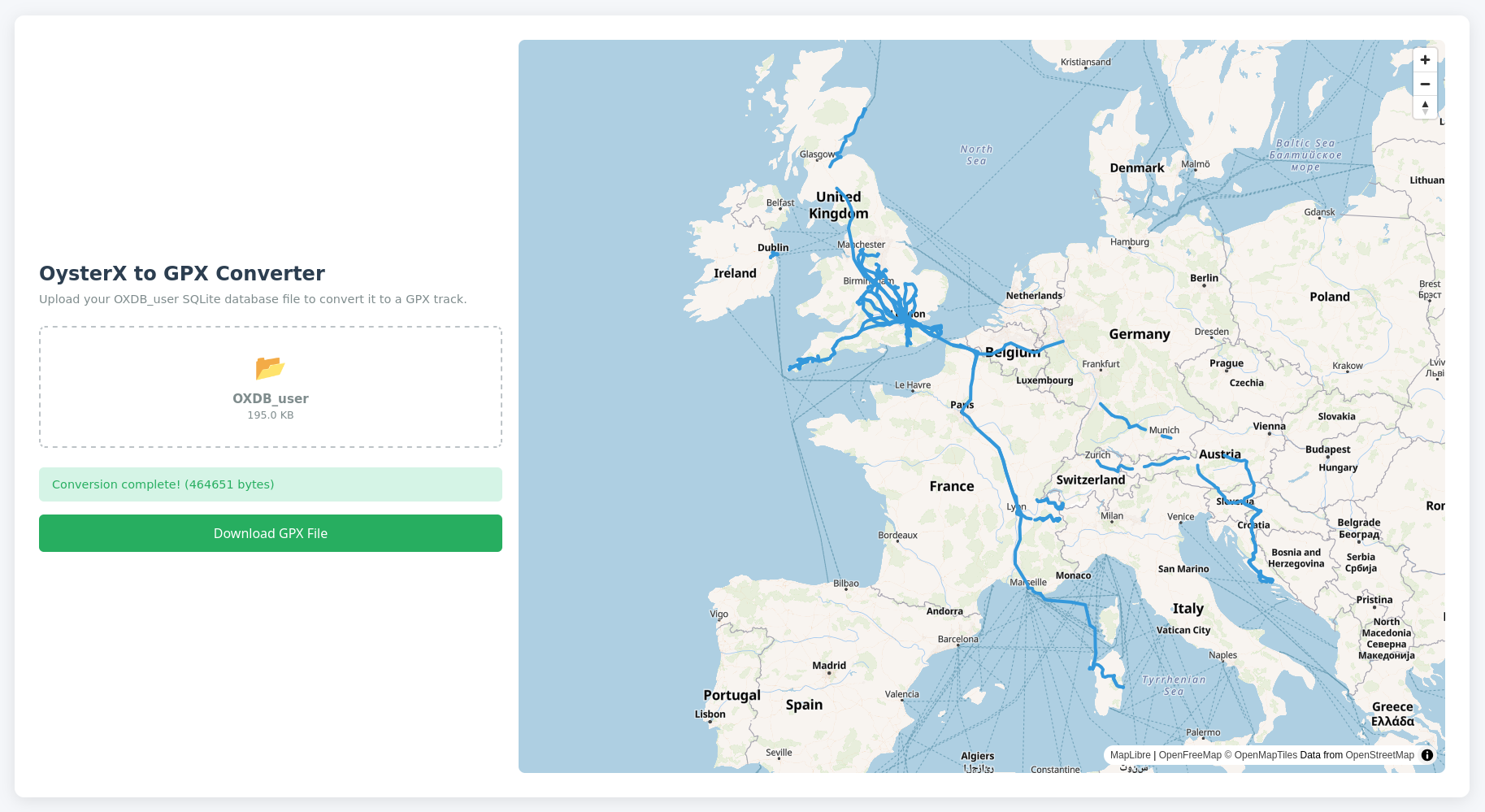
I wanted to move from OysterX to another location tracking app, but there was no way to export the data from OysterX in a standard format.
There are two SQLite database files that OysterX uses -
OXDB_userandOXDB_world, I'm pretty sureOXDB_worldis the one with the high resolution data, but I haven't figured out how to interpret it. What I did find was a nice list of coordinates in theOXStorytable in theOXDB_userdatabase. It's a pretty low quality version of the data, but it's good enough for my needs so that's what I used.I've made a tool to extract a .gpx file from the OysterX
OXDB_userfile, which you can use here: OysterX to GPX Converter (everything is calculated locally, don't worry. I'm not harvesting your location history) -
How to show the FM Radio app on an ASUS Zenfone 4
2019-05-15
The ASUS Zenfone 4 has an FM decoder but didn't seem to have a radio app by default and all of the apps in the Play store were for internet radio, not FM radio.
As it turns out, there was actually a radio app already installed on the device, it's just hidden in the notification drawer and doesn't show up on the list of apps. Here's what I did to get an icon for the app, this requires Nova Launcher:
- Long press on the homescreen and tap Widgets
- Drag the Nova Launcher Activities widget to wherever you want the icon.
- In the list of actvities that appears, select FM Radio .FMRadioUIv3